 Lukas Labs
What should you automate first?
Everyone says "use AI." Nobody says where to start. This playbook helps you spot the work that keeps repeating, check whether your apps can talk to each other, and pick one workflow worth testing.
- Someone copies contact details from the inbox into a spreadsheet.
- Quotes and callbacks stall until somebody remembers to chase them.
- Calls go to voicemail while your team is on a job.
If you nodded once, you already have your first automation. The playbook shows you how to take it apart.
Free PDF, sent to your inbox. The consult is free too.
Three real workflows, walked through step by step.
Each example shows what happens today, the decision someone makes every time, and where a person should stay in charge.
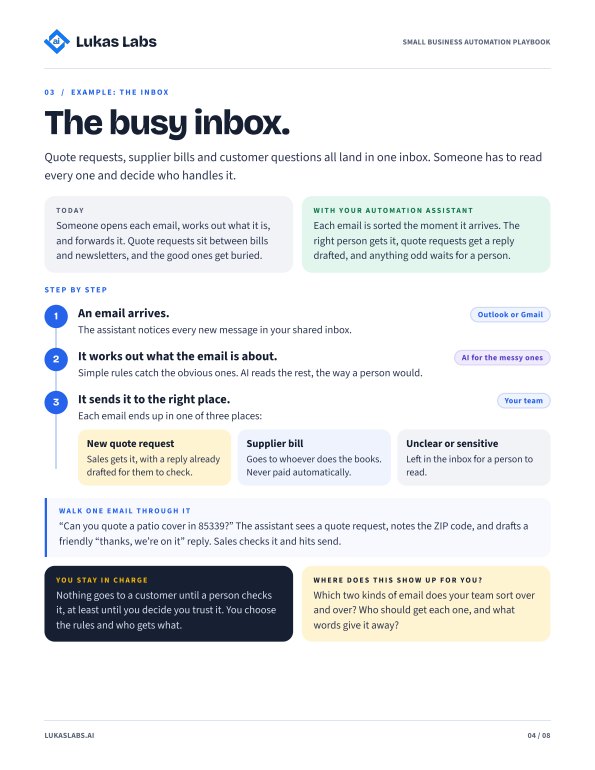
The busy inbox
Quote requests, supplier invoices and vague replies all land in one place. Get each one to the right person before it gets buried.
 In the full guide
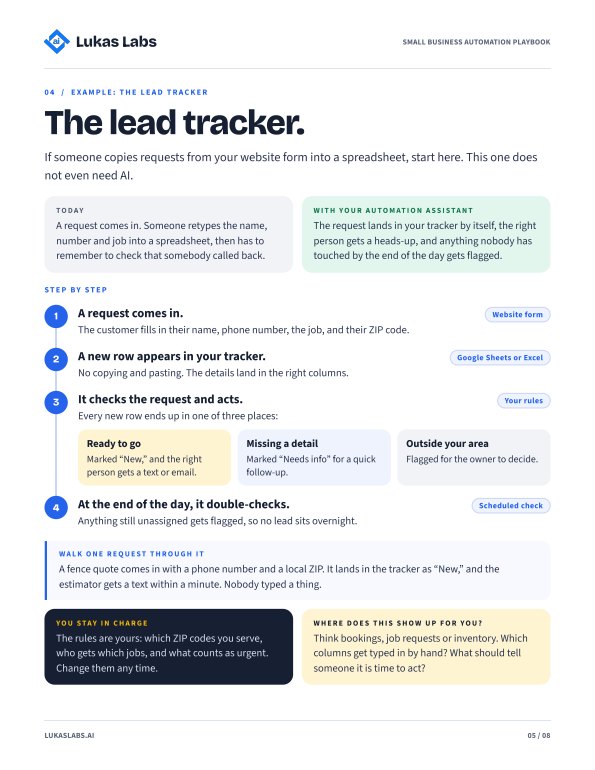
The lead tracker
Stop copying form answers into a tracker by hand. This one works without any AI at all.
 In the full guide
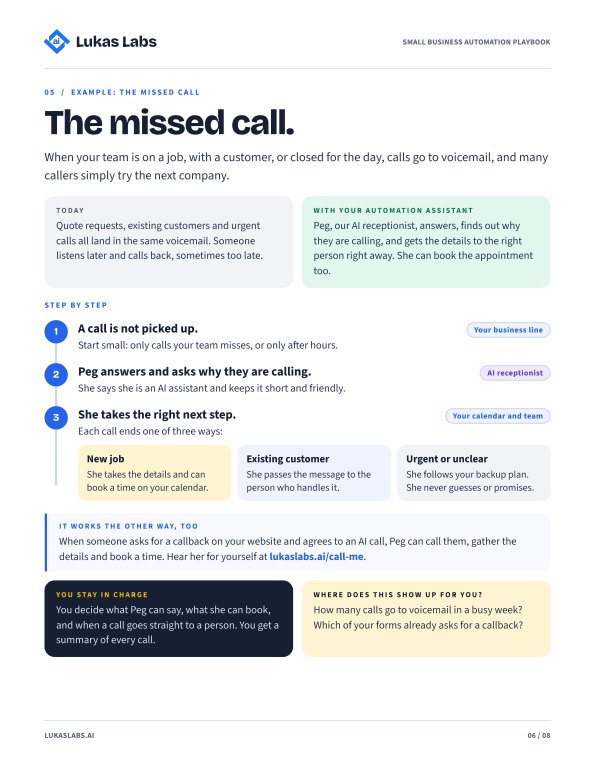
The missed call
How an AI receptionist captures the inquiry while your team is on a job, and when it should hand off to a person.
Rather talk it through with a person?
Tell me how a normal week runs. I'll point out the work that can be automated with the tools you already use, like Outlook or Gmail, QuickBooks, your CRM or job software. You leave with 2 or 3 ideas you can keep, whether or not we work together.
Teams call with Mike. No prep and no screen share needed.
- A 2-minute intakeYour tools, your team, and the task that eats the most time.
- Pick a timeOpen slots on my calendar show up right after the form.
- 20 minutes, real ideasWhat can be automated, roughly what it takes, and where a person should stay in charge.
Pick one thing to test this week.
Takes about 15 minutes to read. Plain English, no tech background needed.
